ACTIVATE YOUR
KEYBOARD
The Delulu Keyboard is the AI keyboard that writes your texts and replies for you in every app. Turn it on once and it works everywhere.
takes 30 seconds. promise.
✨ Free to try. Cancel anytime.
- 1
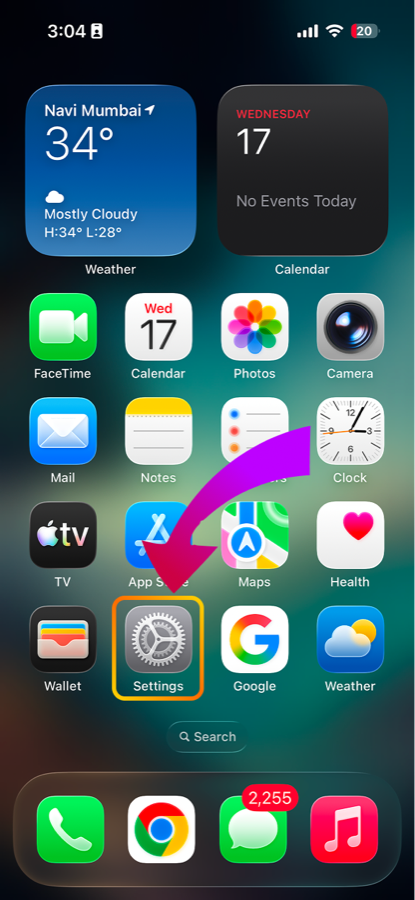
OPEN SETTINGS
Head to your iPhone Settings app.
we'll open it for you
- 2
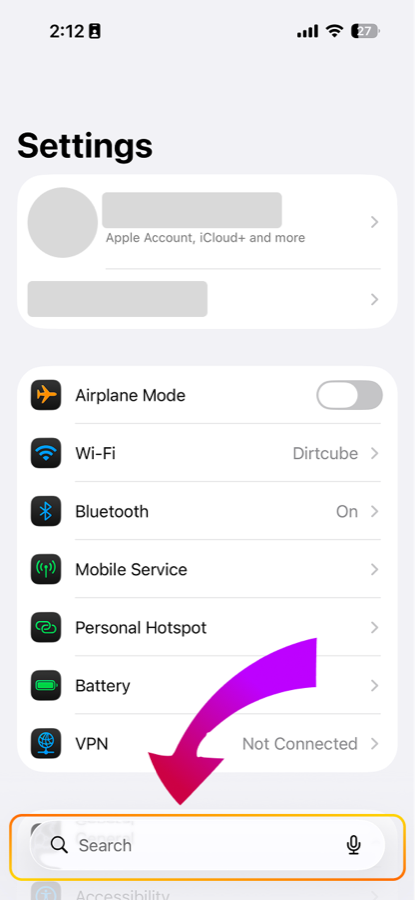
TAP THE SEARCH BAR
Tap the Search bar in Settings.
faster than scrolling
- 3
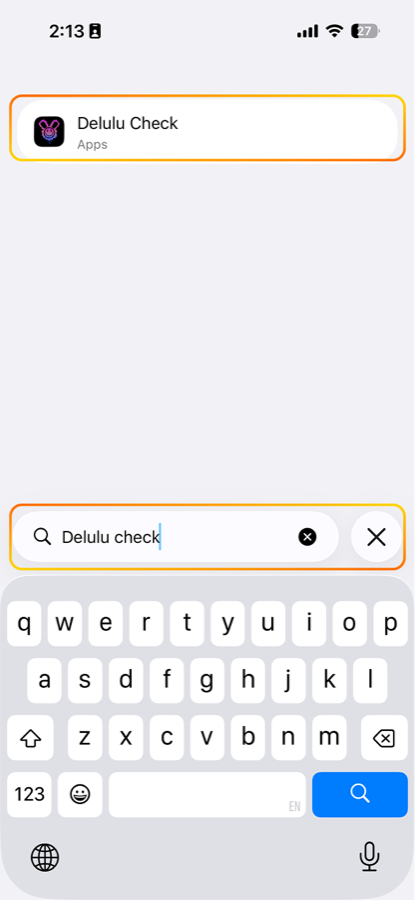
SEARCH "DELULU CHECK"
Type Delulu Check and tap the app.
that's us 👑
- 4
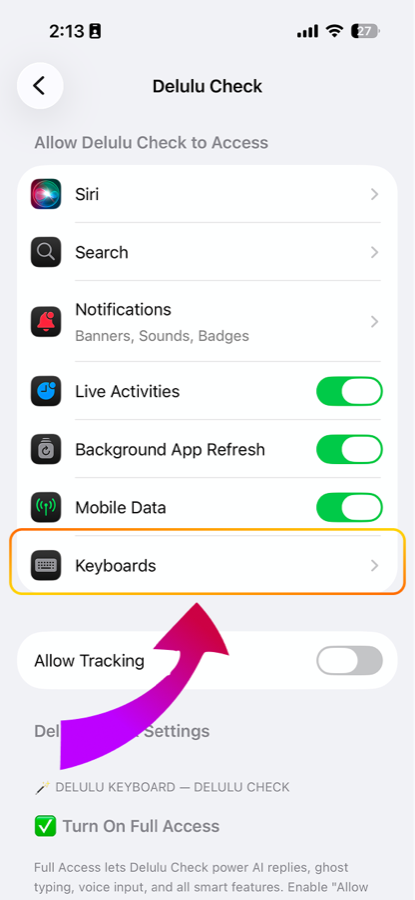
TAP KEYBOARDS
In the app's permissions, tap Keyboards.
- 5
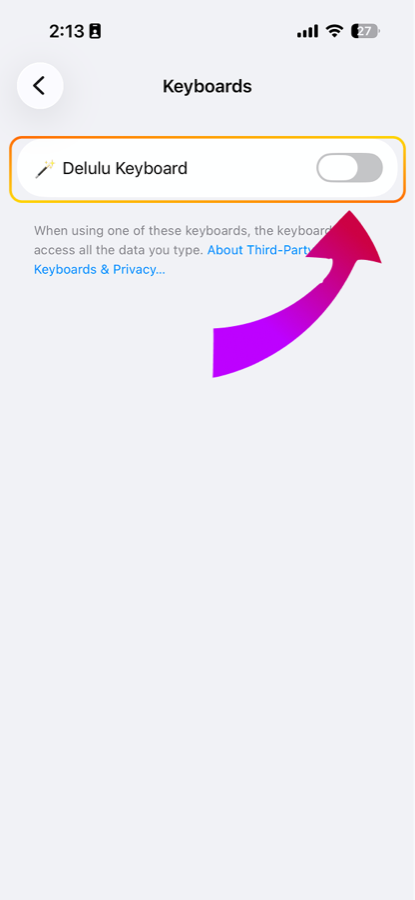
TURN ON DELULU KEYBOARD
Flip the Delulu Keyboard switch on.
almost there
- 6
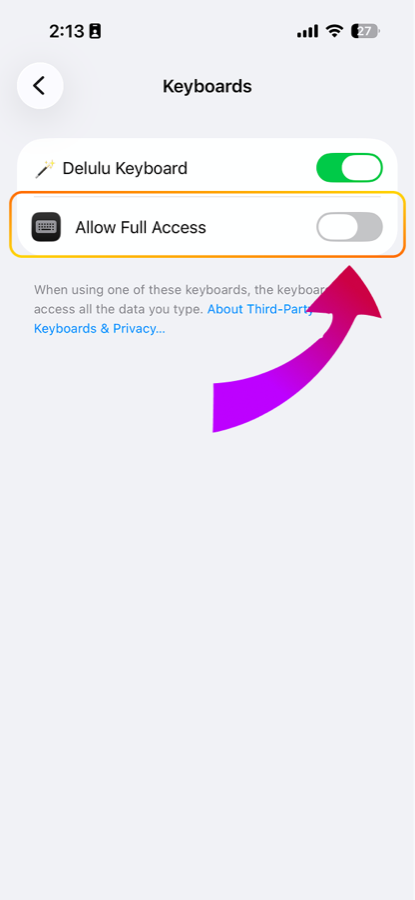
ALLOW FULL ACCESS
Turn on Allow Full Access, it appears right under Delulu Keyboard.
this is what makes the AI work
- 7
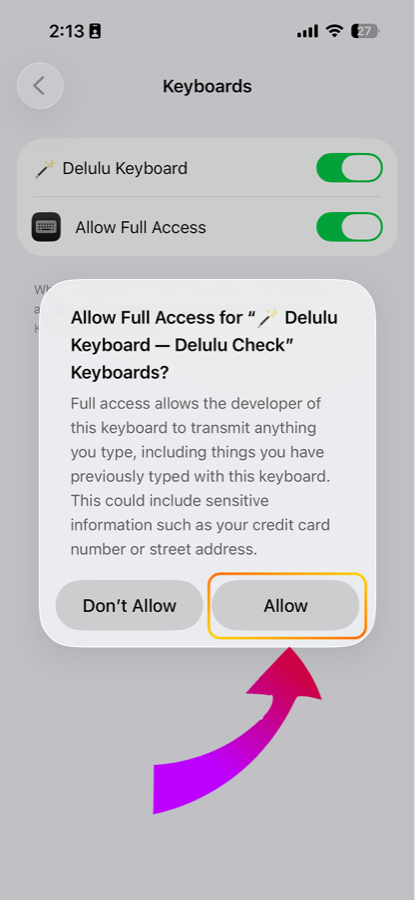
TAP ALLOW
iOS asks to confirm. Tap Allow.
we never read your texts. promise.
- 8
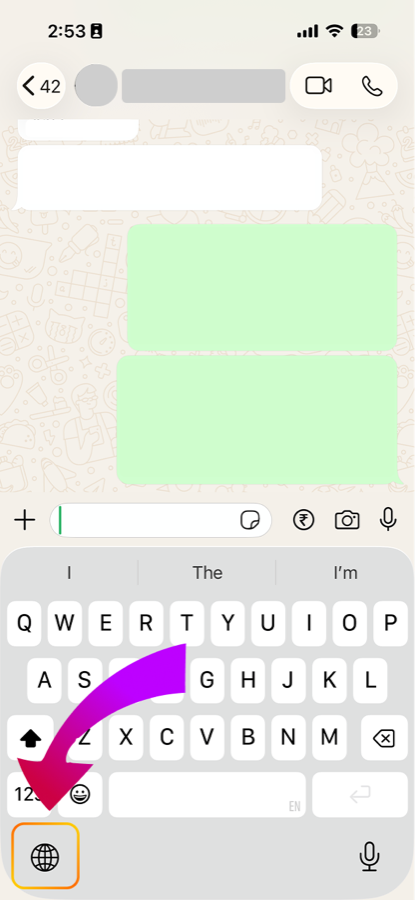
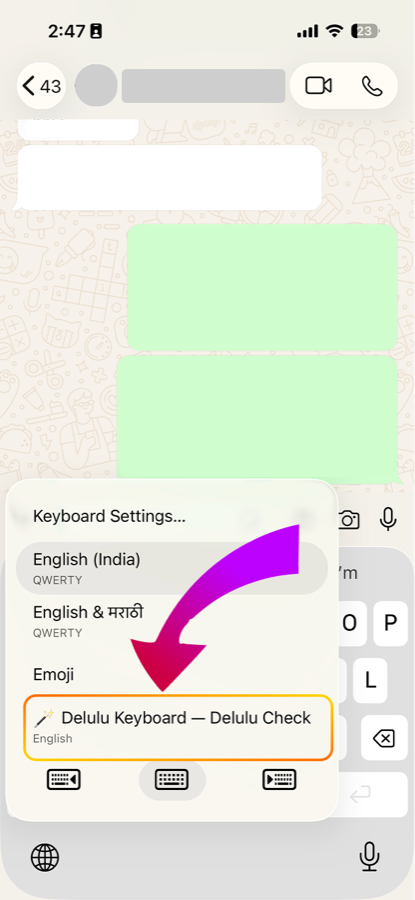
OPEN ANY CHAT
Go to WhatsApp, iMessage, anywhere, and find the 🌐 globe.
- 9
HOLD 🌐 AND PICK DELULU
Long press the globe and choose Delulu Keyboard.
and you're in 🔥
YOUR DATA IS SAFE.
we never read or store what you type. full access just lets the AI work in every app.
quick gut check
BEFORE YOU START
- ✓Delulu Check app installed and opened once?
- ✓Signed in to the Delulu Check app?
- ✓On Wi-Fi or data? (the AI needs a connection)
still stuck?